Startup Welcome Dialog
Startup Welcome Dialog
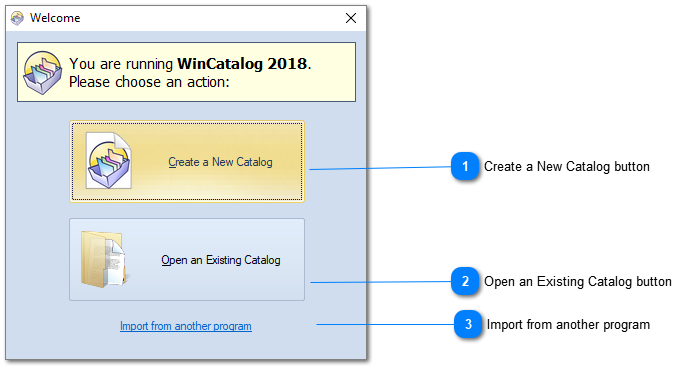
When you are running WinCatalog 2026 for the first time on a new computer, it show the Startup Welcome Dialog. Here you can select 2 options.

Create a New Catalog button
Click this button to create a new empty catalog file.
Top

Open an Existing Catalog button
Click this button to open the previously created catalog file.
Top

Import from another program

A link to our web site where the information about importing from another disk catalog software is located: http://www.wincatalog.com/migrate.html
Top