Backup Options
It is highly recommended to make backup copies of your catalog files on a regular basis to prevent any data loss.
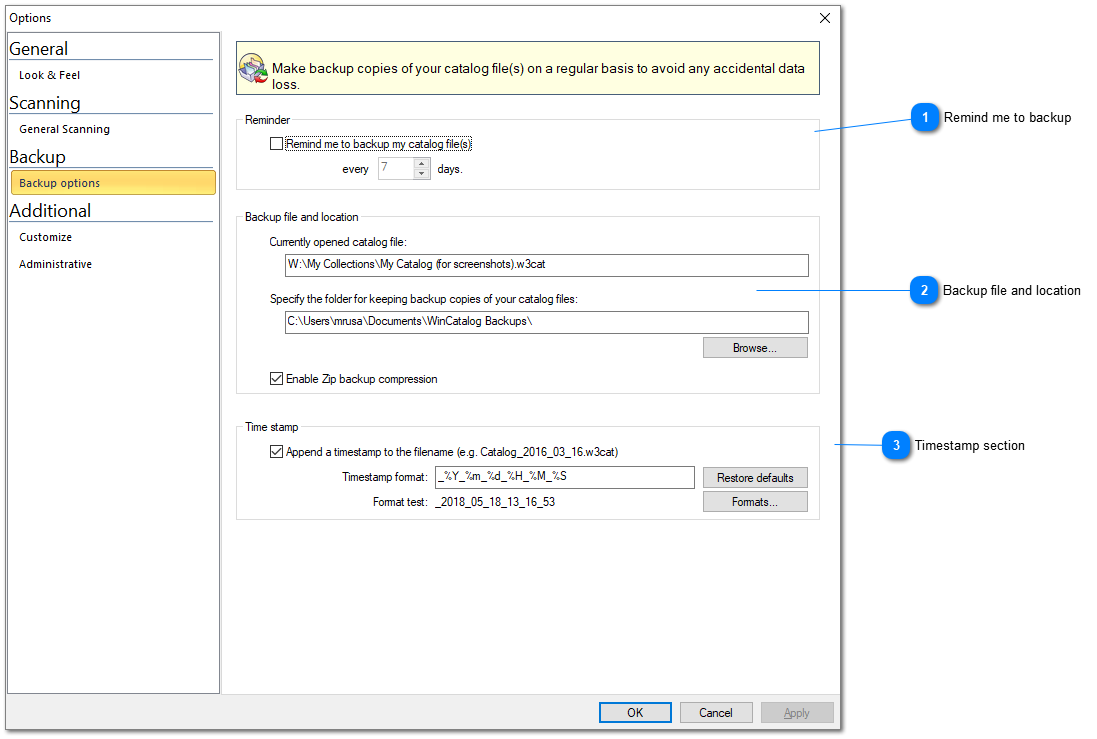

Remind me to backup

WinCatalog can remind you to make a backup copy. The default value for the reminder is 7 days. We highly recommend keep this option on and never dismiss the reminders.
Top

Backup file and location
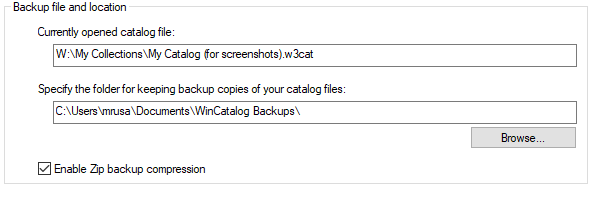
This section displays the currently opened catalog file, a folder where the backup copies will be located and an option to enable or disable zip compression for backup files. If Zip compression is enabled, WinCatalog will use ZIP to compress the backup copy of the catalog file. Otherwise, the file will be just copied to the backup location without compression.
Top

Timestamp section
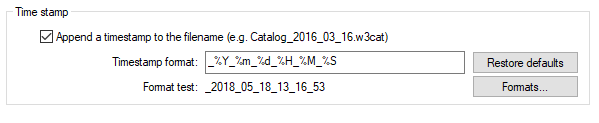
In order to help identify the date of the backup and keep several backup copies in the same locations, WinCatalog can add a timestamp to the filename of the backup copy. Click Formats button to get help on the available format options.
Top