Startup
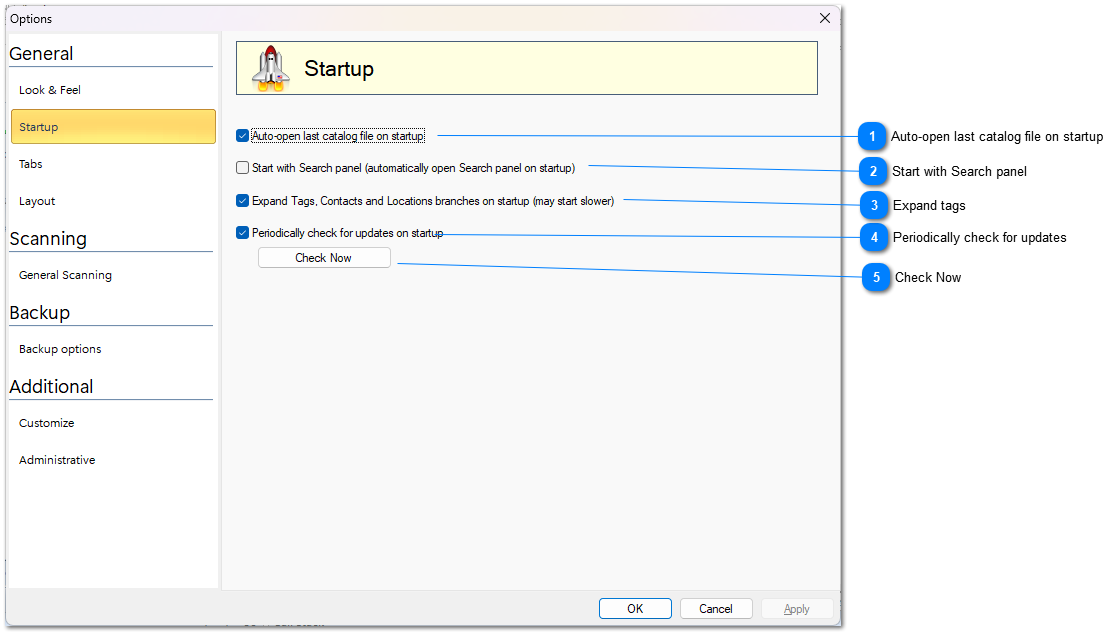

Auto-open last catalog file on startup

Mark the checkbox if you want to re-open last catalog file every time WinCatalog starts.
Top

Start with Search panel

This option automatically open Search panel every time when you start WinCatalog
Top

Expand tags

If this option is on, WinCatalog will expand (open) all the branches for Tags, Contacts and locations. If you have a lot of tags, turning this option on may increase the startup time.
Top

Periodically check for updates

Mark this option to let WinCatalog connect to our web site and check for updates once a month.
Top

Check Now

Click the button to check for updates right now.
Top