File Info Tab
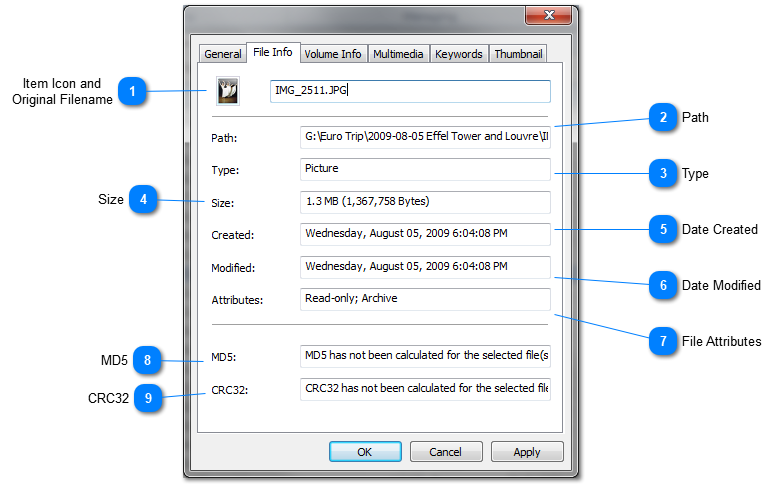
The File Info tab of the Item Properties dialog is available for file items only. It displays the attributes of the real file including path, size and other.

Item Icon and
Original Filename

The icon of the file and the original filename. The original filename cannot be changed by catalog owner.
Top

Path

Path of the file in the file system.
Top

Type

Type of the file.
Top

Size

Size of the file or folder..
Top

Date Created

Date when the file or folder has been created.
Top

Date Modified

Last date when the file or folder has been modified.
Top

File Attributes

File attirbutes.
Top

MD5

MD5 checksum for the file. In the example above the MD5 checksum has not been calculated for the file.
Top

CRC32

CRC32 checksum for the file. In the example above the CRC32 checksum has not been calculated for the file.
Top