ID3 Tab
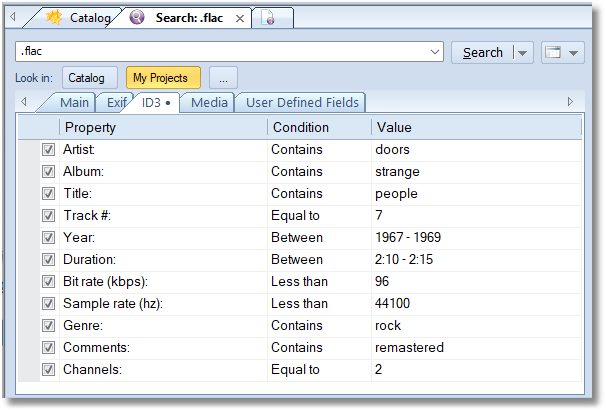
If any of the conditions from the ID3 tab is turned on, only files having ID3 tags will be displayed in the search results. If the file have no ID3 fields, it will not be shown.
| Property | Conditions | Description |
|---|---|---|
| Artist | Contains, Advanced query | search in the Artists tag. |
| Album | Contains, Advanced query | search in the Album tag. |
| Title | Contains, Advanced query | search in the Title tag. |
| Track # | Less than, Equal to, Between, Greater than | search by the Track number. |
| Year | Less than, Equal to, Between, Greater than | search by the Year tag. |
| Duration | Less than, Equal to, Between, Greater than | searching by the duration field. Click the Value field, then the ellipsis button to edit the value: 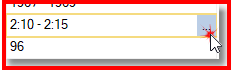
|
| Bit rate (kbps) | Less than, Equal to, Between, Greater than | searching by the Bitrate value. |
| Sample rate (hz) | Less than, Equal to, Between, Greater than | searching by the Sample rate value. |
| Genre | Contains, Advanced query | searching by the Genre field (as text). |
| Comments | Contains, Advanced query | searching in the ID3 Comments field. |
| Channels | Less than, Equal to, Between, Greater than | searching by the number of channels. 1 - mono, 2 and more - stereo. |