Indexing Progress Dialog
Indexing Progress Dialog
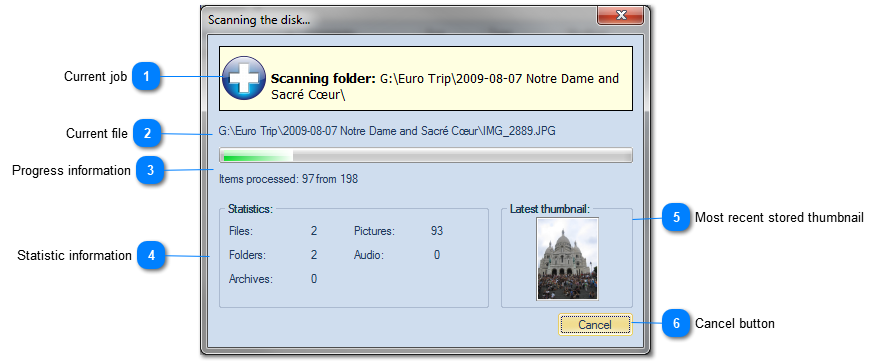
WinCatalog displays the progress dialog while it scans a disc or a folder.

Current job

The yellow banner displays the information about the current indexing job.
Top

Current file

WinCatalog is processing this file.
Top

Progress information

Progress information displays how many items have been processed to the moment.
Top

Statistic information
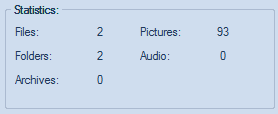
The statistic information displays how many files of different types been processed by WinCatalog.
Top

Most recent stored thumbnail

This panel displays the most recent stored thumbnail image.
Top

Cancel button

Click the Cancel button if you want to abort scanning job. No information will be added to the catalog.
Top