
Process your disks with WinCatalog just once, and create a catalog of your disks, files and folders.

Organize your catalog of disks, files, and folders, using tags (categories) and virtual folders.

Find exactly what you need, without inserting disks to a computer.
For 64-bit (x64) Windows 11, Windows 10, Windows 8.1, Windows 8, Windows 7; may work on 64-bit Windows Vista.
Latest version: 2026.3.1 (August 5, 2026)
Free, full-featured 30-day trial version. If you have not purchased a licence key - read-only mode after 30 days.
Available Interface Languages: English (default), Český, Dansk, Deutsch, Español Europeo & Español Latino, Français, Italiano, Magyar, Nederlands, Polski, Português Brasileiro & Portugal, Română, Slovak, Slovenski, Suomi, Svenska, Türkçe, العربية (Arabic), Bahasa Indonesia, Русский, Ελληνικά, 한국어, 日本人, 简体中文 & 繁體中文
Buy WinCatalog 2026 by October 17, 2026 and you also get:
WinCatalog works very simply. It catalogs files and folders on all your CDs, DVDs, hard drives and any other types of drives, and builds fast index that lets you locate any file or folder almost instantly - without having to reach for the original disk!
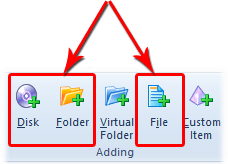 Indexing. In order to locate files and folders that fast,
WinCatalog needs to build an index by
cataloging all your disks, files and folders.
WinCatalog scans each disk (
CD,
DVD,
Hard Drive or any other storage device) and remembers locations of every file and folder,
including files inside ZIP,
RAR and
7zip archives.
Indexing. In order to locate files and folders that fast,
WinCatalog needs to build an index by
cataloging all your disks, files and folders.
WinCatalog scans each disk (
CD,
DVD,
Hard Drive or any other storage device) and remembers locations of every file and folder,
including files inside ZIP,
RAR and
7zip archives.
WinCatalog extracts and stores additional information about files, such as ID3 tags from MP3 files, keywords from saved web pages (HTML files), EXIF information from digital photographs, thumbnails for most popular picture formats and video files, detailed media information from video files, searchable text and thumbnail previews from PDF files, Office Documents, and text files, and downloads track names and disc details for Audio CDs from Internet.
All you need to do is just inserting disks one by one, with no need to make notes or write down things on paper. WinCatalog will do all the work for you.
For Audio CDs you can type an artist name, release title, or barcode to search for the disc online (in MusicBrainz Online DB) and add it to the catalog with track details and cover images.
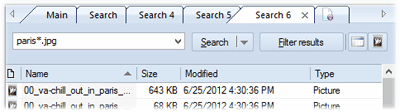 Searching.
After you complete indexing your disks, you are immediately able to search your entire collection without having to insert the CDs and DVDs. When you need to find a file, tune, picture or document, just run
WinCatalog, type any part of the file's name or description, and
WinCatalog will identify the disk which contains that document, song or file. Furthermore,
WinCatalog will prompt on what shelf or CD case the needed disk is physically located. All you have to do is reach ing for the disk and grabbing it!
Searching.
After you complete indexing your disks, you are immediately able to search your entire collection without having to insert the CDs and DVDs. When you need to find a file, tune, picture or document, just run
WinCatalog, type any part of the file's name or description, and
WinCatalog will identify the disk which contains that document, song or file. Furthermore,
WinCatalog will prompt on what shelf or CD case the needed disk is physically located. All you have to do is reach ing for the disk and grabbing it!
Stop wasting your time scanning your removable media! WinCatalog locates files and documents on CDs, DVDs, hard drives and any other disks in real-time.


 Personal
 Professional